
Agent Intermediate: Ten Core Modules in Open ETF Agent
Intermediate · Stop 2 Introduction → Intermediate → Deep dive → Panorama
The introduction followed an Agent Loop: AI chooses an action from the current information, a tool returns a result, and AI decides what comes next.
Open the project and more names appear: Gateway, Skill, MCP, Memory, Session, Child. Why are they there, and how do they connect to that loop?
Use the fixed v0.15 version as our code base, grouped into ten areas for learning. Keep the same task: compare the two Atlas Notes guides and explain changes and shared conditions in free-edition exports. These are the repository's synthetic teaching documents.
Start with the first three parts, then see how the others join them. These ten groups are a reading map; they can cooperate inside one program.
1. Get the loop running
1. Model access: hand a decision to AI
The model interprets requests, selects tools, and organizes answers. The Gateway handles requests and responses for the model service, giving the runtime results such as a tool call or an answer.
For the comparison, AI may read A first and choose B after receiving A's contents. Developers need to consider what material goes into a model call and how to receive the proposed action.
Code entry: gateway.mjs.
2. Runtime: connect one turn to the next
The runtime drives the loop: call the model, receive an action, execute it through a tool, and supply its result to the next turn. A user request can contain several such exchanges.
AI chooses the next task-level action; the runtime makes those actions operate within the program's rules. It manages tool scope and execution limits, while returned results give AI new material for another decision.
Code entry: runtime.mjs.
3. Tool Host: connect a model request to a function
Reading a page, calculating a change, and saving a report are concrete operations. The Tool Host brings together their descriptions, argument validation, and execution entry points.
For example, read_page takes a document identifier and page number and returns the page. save_report takes content and sources and saves a report. Frontend and backend developers can begin with existing functions or APIs and add the descriptions a model needs.
Code entry: tools.mjs.
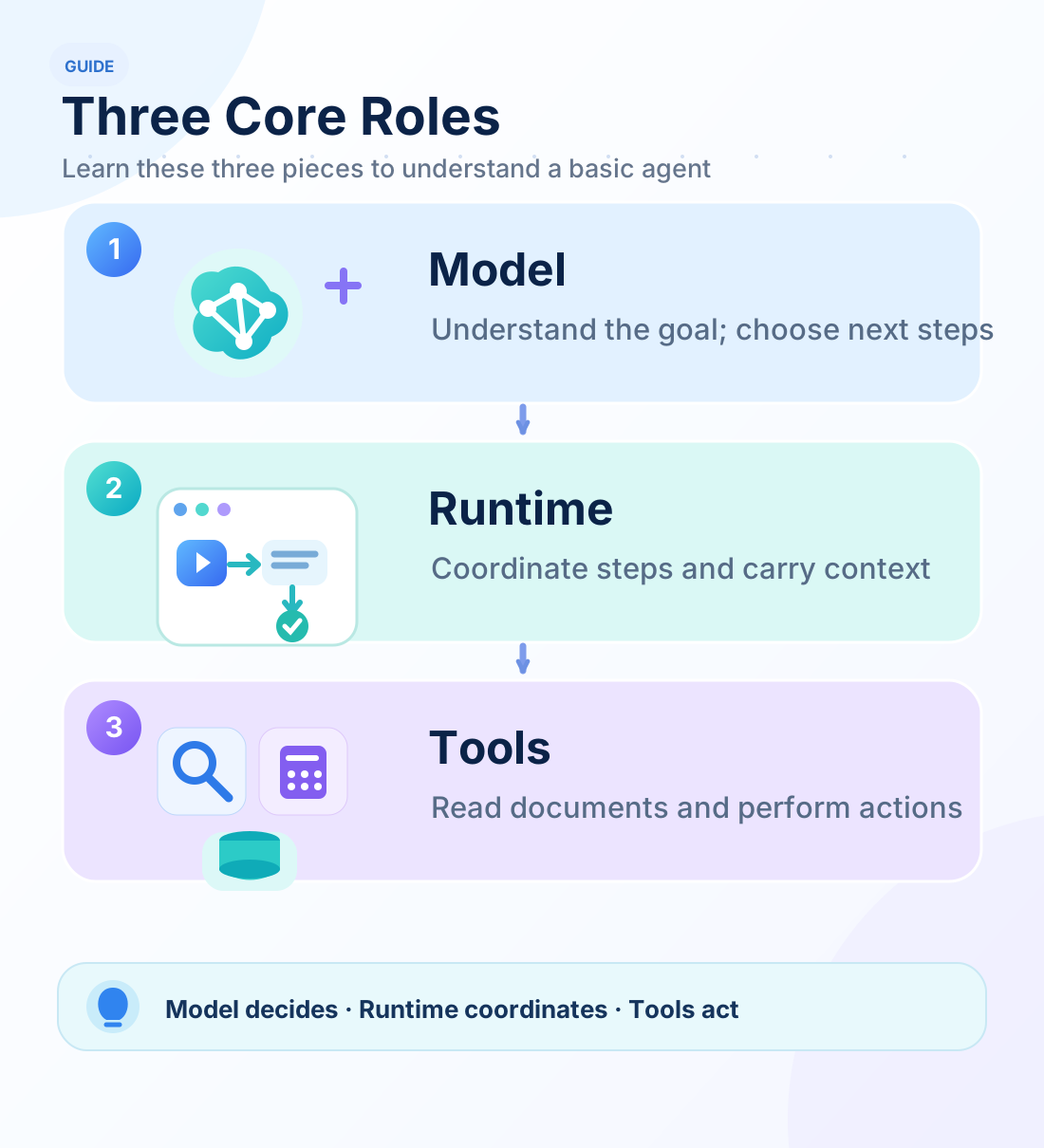
These three parts form the main execution path. The capabilities below connect back to it.
2. Provide a method and connect information
4. Skill: explain how to approach a class of tasks
A product-guide comparison can align edition scope, identify changes and common conditions, and present a table. A Skill packages that reusable method so the model can read it when needed.
Open ETF Agent includes comparison instructions and a supporting checklist. Focus first on how the method enters a task, then on how tools perform its operations. The general format is described by Agent Skills.
Code entry: skills.mjs.
5. MCP: connect tools offered by another program
When a separate service provides documents, the application needs to discover its tools and call them through an agreed protocol. MCP provides that connection.
The repository's skill-mcp example reads method instructions, then retrieves synthetic documents through a local MCP server. The model sees an available page-reading capability; the program establishes the connection and exchanges results. The official architecture overview explains this client-server relationship.
Code entry: mcp.mjs.
6. Results and context: retain information and select the next input
After a tool reads original material, Result retains the content and its source. Context organizes material for the next model call. Retrieval locates relevant passages as the collection grows, while compaction organizes working notes.
Think of original material as a bookshelf and context as a desk. Put export pages on the desk for an export comparison; locate other pages for a question about offline use.
Code entry: context.mjs. Understand how material enters a call before exploring Result, retrieval, and compaction in detail.
7. Memory: reuse appropriate information across tasks
A user may permit storage of a preference such as “start product comparisons with a table.” Later tasks can retrieve it and include it in their current context.
The public implementation supports explicit saving, correction, and forgetting, plus the read-only consumer introduced in v0.14. Begin with what to retain, when to retrieve it, and how it enters the next input. Preferences guide presentation; product guides supply product facts.
Code entry: memory.mjs.
3. Make research work useful beyond one turn
8. Reports and artifacts: retain the analysis
A user may need an answer, a Markdown report, or a CSV file. Report and artifact capabilities retain that content, and a reader provides access to existing results.
T1 produces a report.md; separate examples demonstrate CSV output. For now, follow how a model organizes content and a tool saves it. Detailed revision management belongs in the focused article.
Code entry: artifacts.mjs.
9. Session and Worker: continue a task beyond one command
The earliest example finishes in a single process. Longer tasks benefit from saved progress that a later executor can continue. Session records the task, and a Worker drives a selected task through the existing runtime.
The public code also has a human-response example: it asks a question, accepts an answer through the CLI, and continues the original task. Begin with that experience of a task retaining progress and incorporating an answer; persistent-execution details can come later.
Code entry: session.mjs.
10. Specialist Child: delegate a focused piece of work
v0.15 introduces one serial source-checking specialist. Main delegates a question; Child reads original A/B pages in its own context and returns sources and observations; Main continues to the report.
The useful idea is how two loops hand work back and forth. The parent addresses the overall request; the child addresses a smaller check. Child uses the same runtime with focused instructions and a narrower tool scope.
Code entry: specialist-child.mjs. The next article follows this actual code path.
Explore three examples in the same v0.15 checkout
Using the v0.15 environment installed in the introduction, run these independently:
# Method instructions and MCP document tools
npm run demo -- --case skill-mcp

# Locate and read material about offline use
npm run demo -- --case retrieve-reread --query "offline editing"

# Main delegates to one source-checking specialist
node src/specialist-cli.mjs run --session runs/learning-specialistThe first two commands print their own run directories and reports. Use a new dedicated session directory for the third; the next article explains its report and handoff. Default commands simulate model actions with a script while executing actual document reads, tool operations, and file writes, so no model API key is required.
These are independent examples, each demonstrating a group of capabilities. Additional entry points are in the current project guide.
Next: connect information, execution, and collaboration
You now know the names and their source entry points. Follow a concrete task next to see information move between them.
Continue with Agent Deep Dive: From One Report to Durable Execution and Specialist Collaboration. After that path, expand to the full system panorama.